New
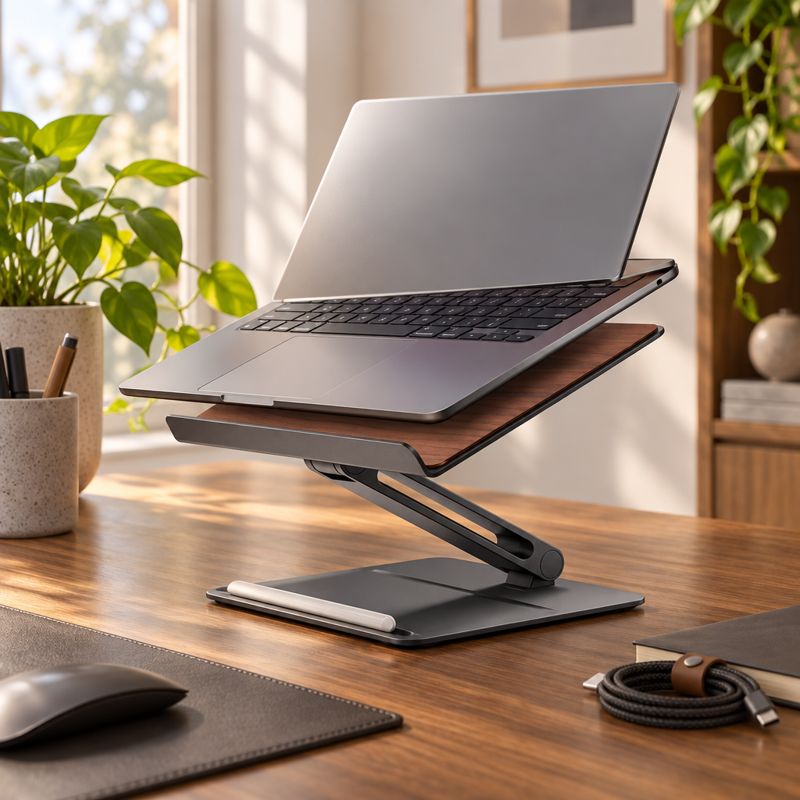
The Laptop Stand 2 with its Charging Hub

Say hi to Stand 2

Now starting at $79

The second generation of our best-selling aluminum laptop stand

Shop now

Cooler laptop.
Better posture.

What’s new with Stand 2
A smaller Charging Hub that tucks behind most monitors
20% faster heat relief during long video calls
9x more airflow vents for cooler, quieter sessions
New sizes at our lowest starting price yet

Transform your desk with the Laptop Stand
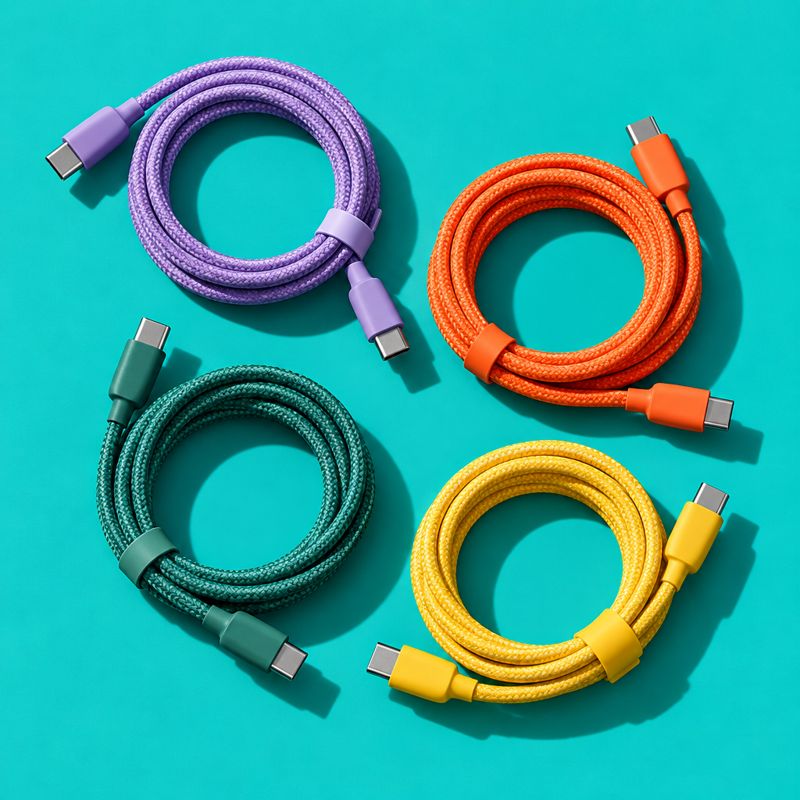
Stand

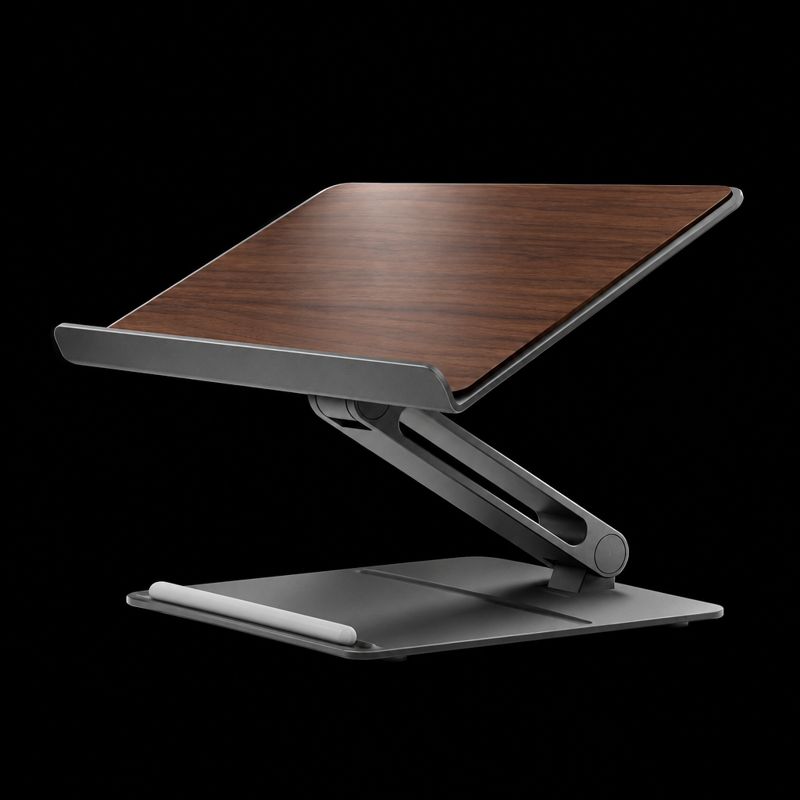
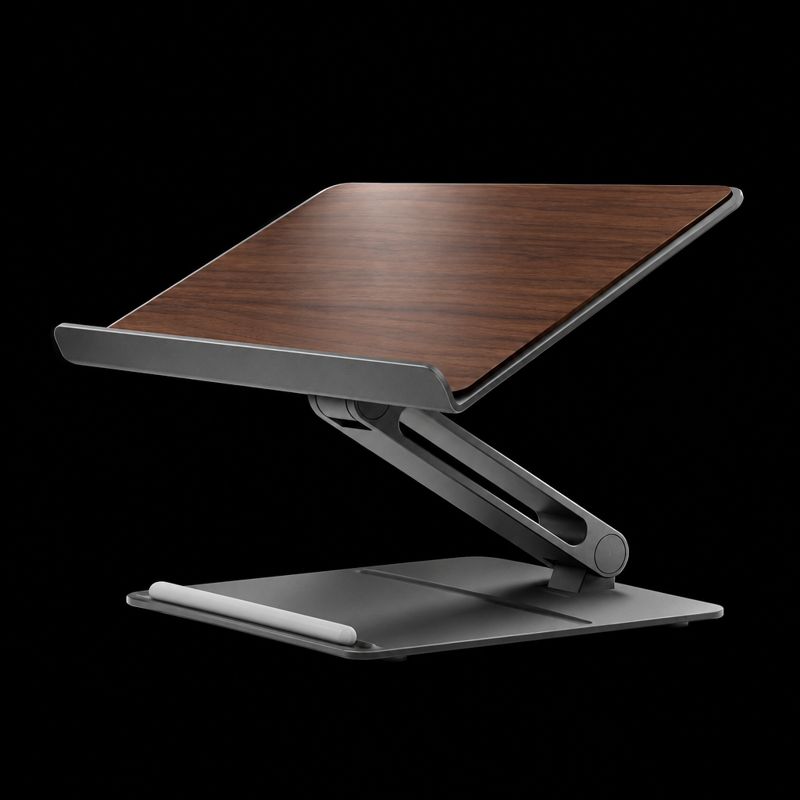
An adjustable aluminum Stand

Lifts, cools, and charges your laptop with a hinge that locks at any angle

The Charging Hub beside a monitor
Hub

Powered by a small Charging Hub

Tucks behind your monitor and delivers fast, steady charging all day long

A saved angle preset on the Laptop Stand
Setup

Personalized to you at your desk

Pick your angle, route your cables, and save your favorite height, all in one place◊

A workday is personal. The Stand treats it that way.

You tell the Stand about your desk and your habits. It adapts to your day in response.◊

Temperatures shown are examples and may differ from your own readings.

Long work days

Stay cool through every long work day

Personalize the angle and airflow on your setup, and more.

Tilt it just how you like

Set the platform anywhere from 0° to 50° and it locks in place. A steeper angle on one desk has zero effect on the next.

Personalized airflow and adjustments all day

The Stand watches how hot your laptop runs and increases airflow in real time, keeping every call and export smooth.◊

Pick up right where you left off

The memory hinge returns to your saved angle, so every morning starts at the perfect height.◊

Tilt it just how you like

Set the platform anywhere from 0° to 50° and it locks in place. A steeper angle on one desk has zero effect on the next.

Personalized airflow and adjustments all day

The Stand watches how hot your laptop runs and increases airflow in real time, keeping every call and export smooth.◊

Pick up right where you left off

The memory hinge returns to your saved angle, so every morning starts at the perfect height.◊

Tilt it just how you like

Set the platform anywhere from 0° to 50° and it locks in place. A steeper angle on one desk has zero effect on the next.

Personalized airflow and adjustments all day

The Stand watches how hot your laptop runs and increases airflow in real time, keeping every call and export smooth.◊

Pick up right where you left off

The memory hinge returns to your saved angle, so every morning starts at the perfect height.◊

A person editing video late at night on a laptop stand

Gaming & editing

Stay in the zone with cooler, steadier sessions

The Stand keeps up with heavy renders or long gaming nights, tracking heat and adapting to keep performance steady.◊

Every reading that matters. No extra software.

Temperature, airflow, and tilt, tracked with sensor-grade accuracy and shown on the hub's light ring.◊

The Stand runs cooler to keep performance steady.

104°Current96°Updated
RenderGame mode

Temperatures shown are examples and may differ from your own readings.

Heavy render? The Stand boosts your cooling.

The Stand senses sustained load and your tagged sessions, then automatically increases airflow when performance matters most.◊

Run up to 34% cooler*

Adjusting to your laptop's heat and your room in real time, the Stand keeps frame rates and export times steadier all session.◊

Every reading that matters. No extra software.

Temperature, airflow, and tilt, tracked with sensor-grade accuracy and shown on the hub's light ring.◊

The Stand runs cooler to keep performance steady.

104°Current96°Updated
RenderGame mode

Temperatures shown are examples and may differ from your own readings.

Heavy render? The Stand boosts your cooling.

The Stand senses sustained load and your tagged sessions, then automatically increases airflow when performance matters most.◊

Run up to 34% cooler*

Adjusting to your laptop's heat and your room in real time, the Stand keeps frame rates and export times steadier all session.◊

Every reading that matters. No extra software.

Temperature, airflow, and tilt, tracked with sensor-grade accuracy and shown on the hub's light ring.◊

The Stand runs cooler to keep performance steady.

104°Current96°Updated
RenderGame mode

Temperatures shown are examples and may differ from your own readings.

Heavy render? The Stand boosts your cooling.

The Stand senses sustained load and your tagged sessions, then automatically increases airflow when performance matters most.◊

Run up to 34% cooler*

Adjusting to your laptop's heat and your room in real time, the Stand keeps frame rates and export times steadier all session.◊

A traveler setting up the Laptop Stand at a café

Travel

Your desk moves. Your stand should, too.

The Stand folds flat for bags, cafés, hotel rooms, and shared desks, and sets up in seconds.◊

Fold it down to fit anywhere

Pack it in a slim pouch and unfold it in one move, from a train table to a hotel desk.◊

Stay comfortable on the move

Pre-set angles for lap, café table, and standing counter keep your neck and wrists happy wherever you land.◊

Boost cooling is on

-5°FCools by
15 minsDuration

Temperatures shown are examples and may differ from your own readings.

Cool down fast between meetings

When your laptop runs hot, tap the hub for a fast cooling boost, with 56% fewer fan spikes on average.*◊

Fold it down to fit anywhere

Pack it in a slim pouch and unfold it in one move, from a train table to a hotel desk.◊

Stay comfortable on the move

Pre-set angles for lap, café table, and standing counter keep your neck and wrists happy wherever you land.◊

Boost cooling is on

-5°FCools by
15 minsDuration

Temperatures shown are examples and may differ from your own readings.

Cool down fast between meetings

When your laptop runs hot, tap the hub for a fast cooling boost, with 56% fewer fan spikes on average.*◊

Fold it down to fit anywhere

Pack it in a slim pouch and unfold it in one move, from a train table to a hotel desk.◊

Stay comfortable on the move

Pre-set angles for lap, café table, and standing counter keep your neck and wrists happy wherever you land.◊

Boost cooling is on

-5°FCools by
15 minsDuration

Temperatures shown are examples and may differ from your own readings.

Cool down fast between meetings

When your laptop runs hot, tap the hub for a fast cooling boost, with 56% fewer fan spikes on average.*◊

Quiet airflow

Cut fan noise by
up to 45%
*

The Stand detects heat build-up in real time. With the Charging Hub, it quietly boosts airflow before your fans spin up.

Cable management

Keep every cable out of the way

The built-in channel and Charging Hub route power and display cables behind the stand, so your desk stays clear.

New Compact sizes starting at $79

The same Laptop Stand technology, now available for small desks and laptops up to 14 inches, plus Standard and Wide for everything bigger.

Standard vs. Travel sizes

Standard sizes fit the full desk, designed for large laptops and monitors. Travel sizes fold flat for your bag, designed for one laptop on the go.


Standard sizes

8" D

Compact

10" W

9" D

Standard

12" W

9" D

Wide

15" W

10" D

Wide XL

14" W


Travel sizes

8" D

Pocket

7" W

9" D

Slim

7" W

9" D

Standard

12" W

9" D

Wide

15" W

10" D

Wide XL

14" W

Standard sizes

8" D

Compact

10" W

9" D

Standard

12" W

9" D

Wide

15" W

10" D

Wide XL

14" W


Travel sizes

8" D

Pocket

7" W

9" D

Slim

7" W

9" D

Standard

12" W

9" D

Wide

15" W

10" D

Wide XL

14" W


Frequently asked questions

How are Travel sizes different from Standard sizes?

It’s the same cooling and tilt system, just built to fold flat and weigh less. Travel sizes fit laptops up to 16 inches and slip into a slim pouch.

I bought a Travel Stand. Can I add a second Stand to my desk?

If you’ve purchased a Standard, Wide, or Wide XL Travel Stand, you can add a second Stand at any time. They sit side by side.

Standard and Wide Travel Stands are the same product as their desk versions. You can add a second Stand at any time.

Pocket Stands can’t be paired with a second Stand.

If I add another Stand, do I need another Charging Hub?

A second Stand does not come with a Charging Hub; it connects to the Charging Hub you already own.

Your existing Hub powers both Stands, including fast charging and cooling boosts.

How do I purchase a second Stand?

Once you’ve bought your first Stand, you can add a second anytime from your account. You’ll need to log in.

I work at a shared desk. Which should I choose?

Travel Stands are the best fit for a shared desk. Pick your laptop size and select “One side.” After that purchase, you can add a second Stand for the other side from your account. You’ll need to log in.

Shop Stand sizes
A Laptop Stand on one side of a wide desk

Optimal for one laptop, on one side of the desk

A Compact Laptop Stand on a small desk

New Compact size for small desks and dorm rooms‡

Two Laptop Stands side by side on a shared desk

Perfect for dual-laptop and shared desks

Explore Stand 2

Every detail, considered. Take a closer look at the most capable stand we have ever made.
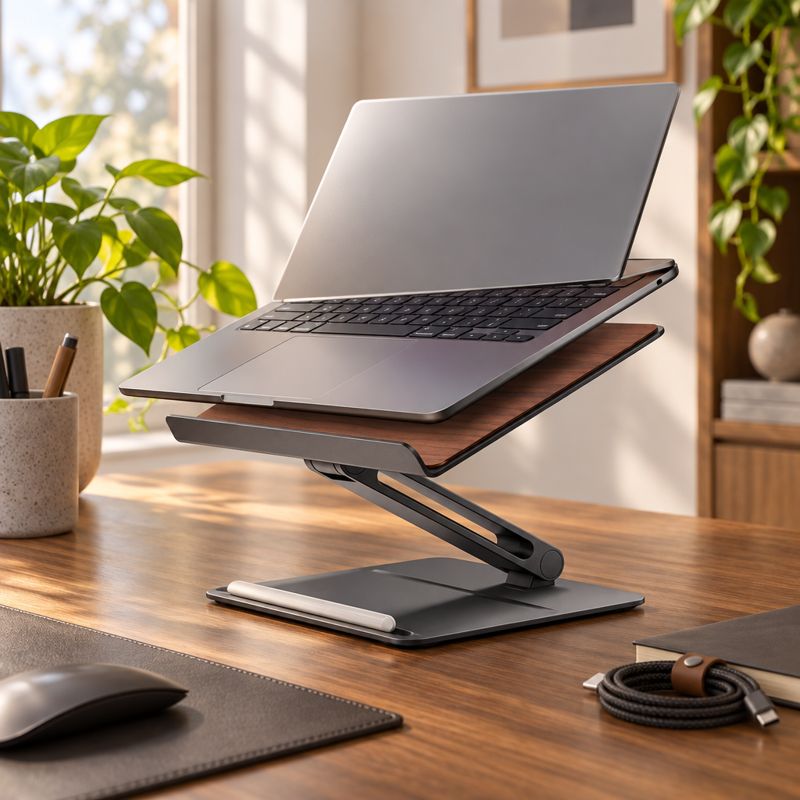
Stand size
A Laptop Stand 2 on a tidy desk, with the Charging Hub beside it

Stand 2 Add-ons

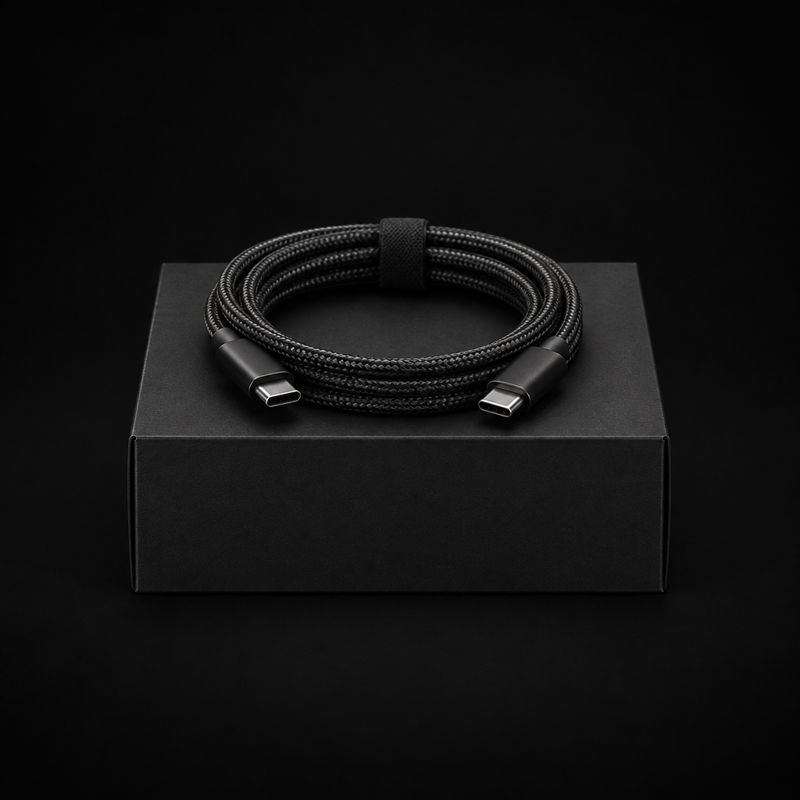
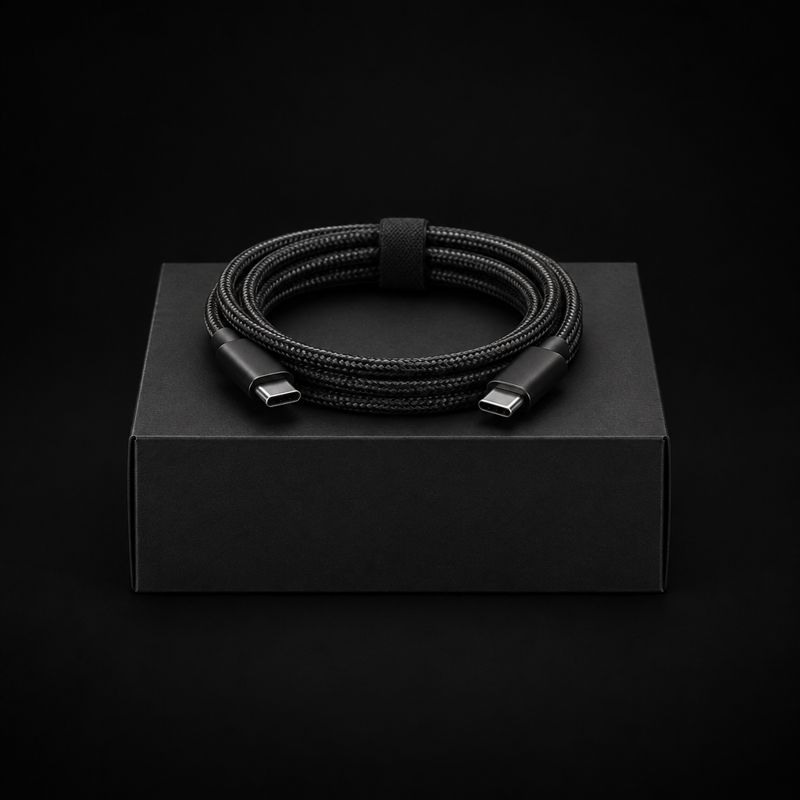
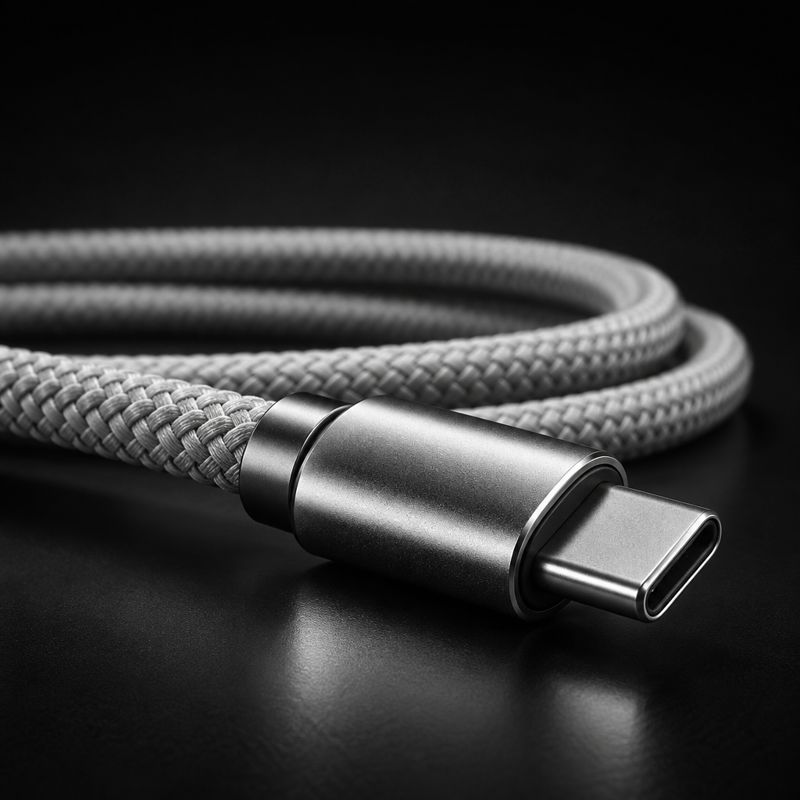
The Braided Cable coiled on a desk beside a laptop.
A braided cable running through the arm of the Laptop Stand.

Keep charging cables tidy and out of the way

Cut cable clutter by up to 80% with built-in routing*

A phone charging on the desk, its cable running to the Hub.

Fast charging and data sync in one cable

Braided Cable

How it works

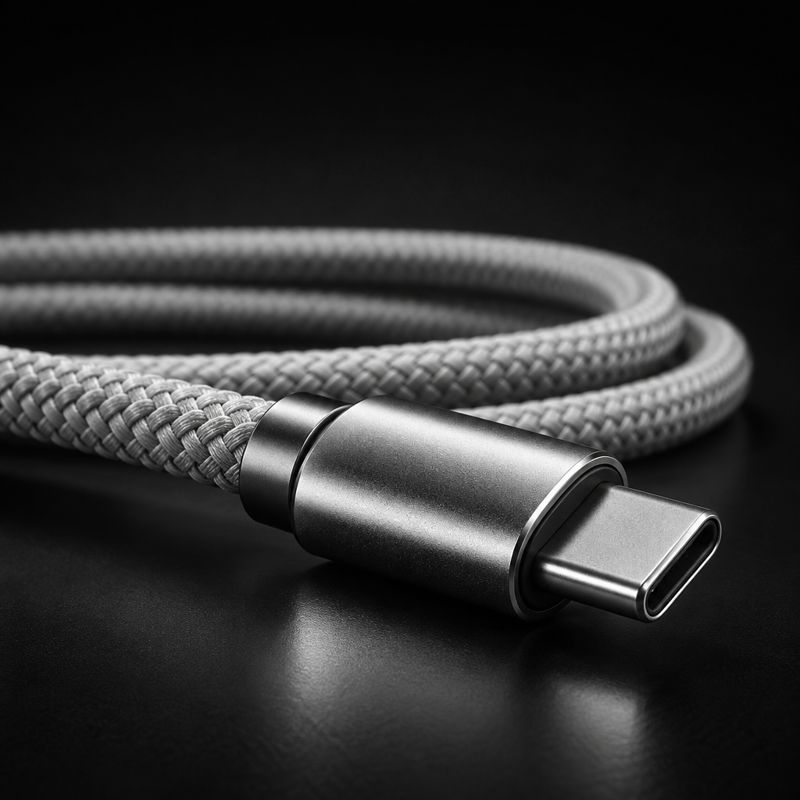
A braided cable that clips into the Stand's arm to route power from the Hub to your laptop. It supports 100W charging, 480 Mbps data, and a snag-free, tangle-resistant sleeve.

How to set up

Only 3 ft long, the cable plugs into the Hub and clips into the Stand within seconds. For added reach or to replace your current cable, add the optional 10 ft length.

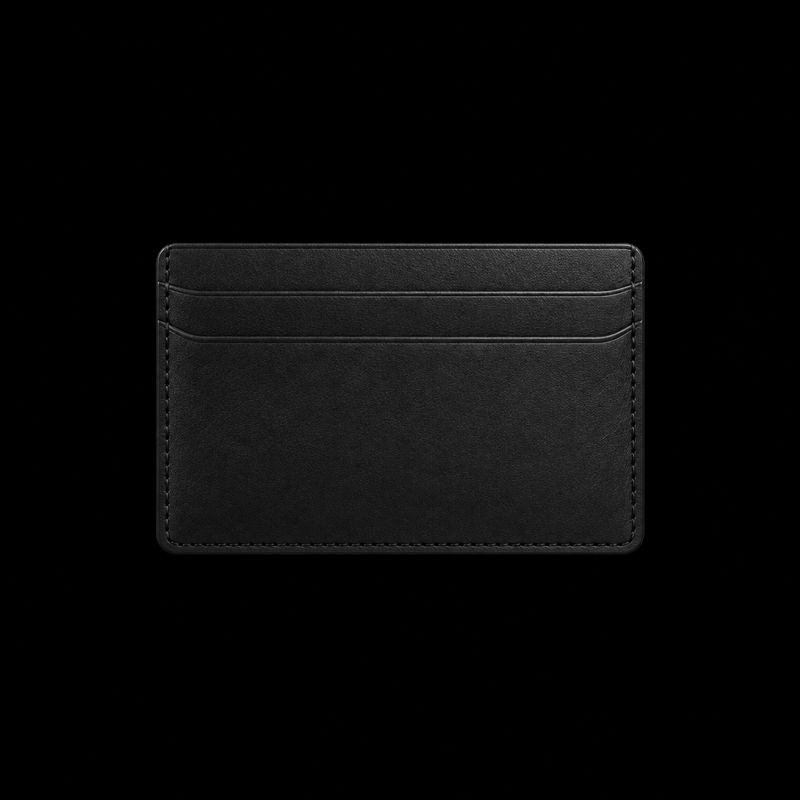
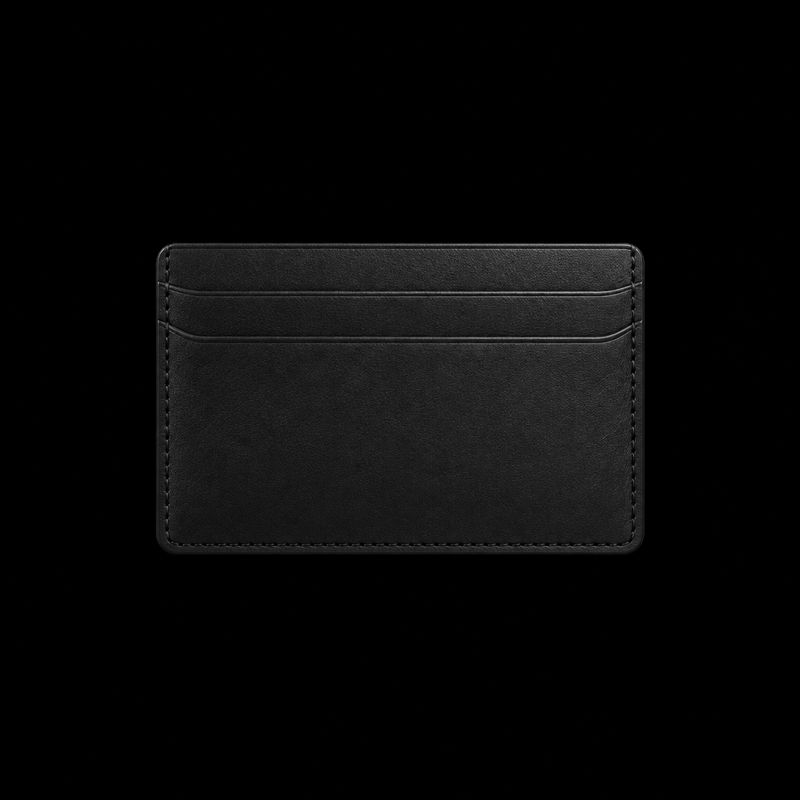
The Card Wallet shown closed on a desk.
A person holding the Card Wallet beside a laptop on the Stand.
A hand pulling a card from the Card Wallet to show its lining.

Card Wallet

How it works

The Card Wallet snaps magnetically to your phone and holds up to three cards, keeping your essentials within reach at your desk or on the go.

How to set up

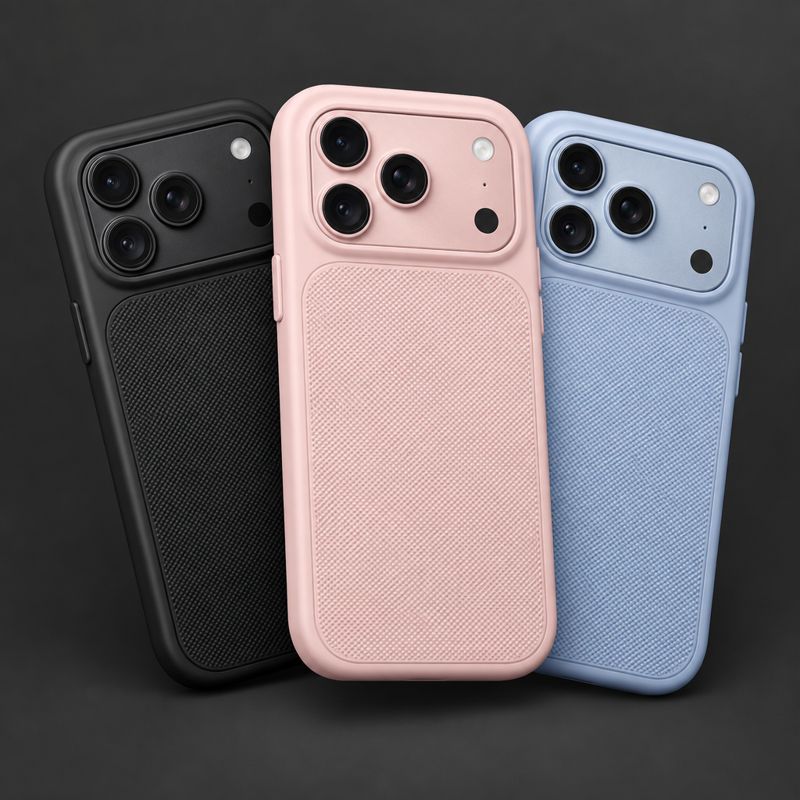
Snap the Wallet to the back of any MagSafe phone. You can use your own case, but we recommend our Clip Case for a secure fit and easy removal.

The Desk Mat beside the Charging Hub, connected by its cable.
A desk set up with the Stand, with temperature cards showing different readings on each side

Readings may differ from what your laptop reports in its own settings.

Hands laying the Desk Mat flat under a laptop.
A hand resting on the Desk Mat's stitched surface.
A person working at a desk on the Desk Mat.

Desk Mat

How it works

The Desk Mat adds a soft, spill-proof surface to any desk. The Northpole Desk Mat works with your Stand and uses its sensors to track laptop and wrist position throughout the day.

How to set up

Lay the Desk Mat under your keyboard and Stand in Standard or Wide size. Connect the Mat to a separate Hub for independent charging from the Stand.

The Stand fits any laptop

Unfold the arms and set your laptop on the pads. No tools, no setup.

Heat is pulled away through the aluminum

The aluminum body spreads heat evenly, keeping the laptop cool under load.

The Stand lifts the screen to eye level

Seven height settings put the display exactly where your neck wants it.

The Stand stays steady on any desk

Weighted feet and a grippy base keep it planted, even when you type hard.

Cable routing keeps the desk clear

A channel in the arm hides your charging cable and guides it straight to the Hub.

Folds flat for the bag

The Stand folds down to 0.4 inches thick and slips into any backpack sleeve.

1 / 6
The Hub powers your whole desk

The Hub connects to the Stand and charges your laptop, phone, and earbuds from one cable.

The Hub keeps every cable in one place

Three ports and a wireless pad sit under the Stand's arm, so nothing trails across the desk.

The Hub tucks beneath your laptop

The Hub is designed to sit right under the Stand, out of sight.

1 / 3

New to Stand 2

Reimagined from the ground up
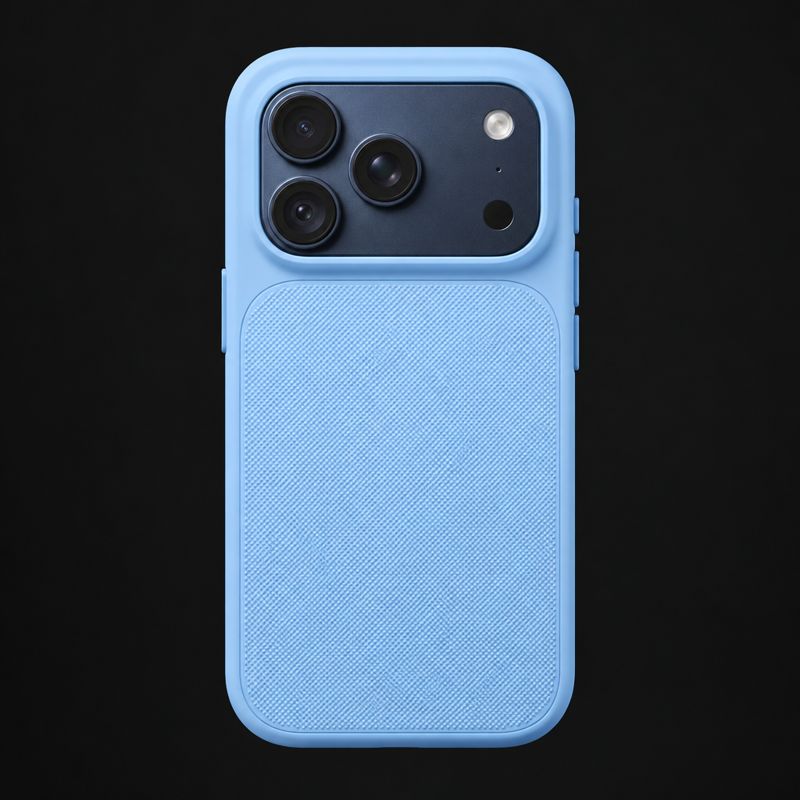
Half the size. Even more stable.

Smaller, but mightier. Just one Hub charges your laptop, phone, and earbuds at once.
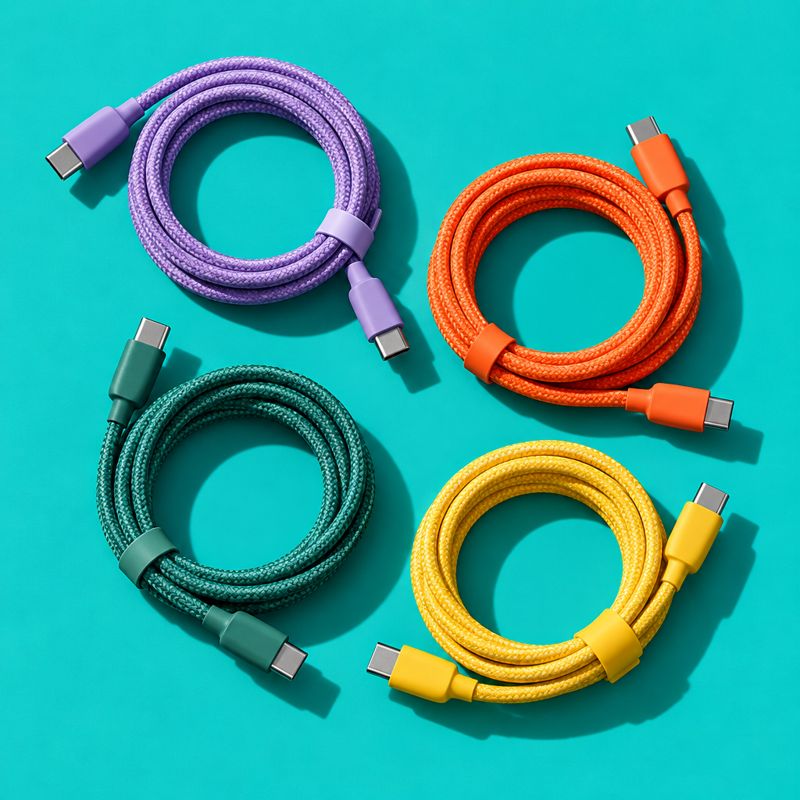
A more powerful cooling design

A redesigned airflow channel moves heat away 20% faster, keeping long calls and heavy exports cool and quiet.**
More grip points for even more stability

With 9x more silicone grip points, the Stand 2 holds your laptop steadier, no matter how hard you type (or if the cat walks across the desk).
Shop Stand 2

One desk system.More ways to make it yours.

Add accessories to your Laptop Stand and Hub to target more specific desk needs.

The Laptop Stand 2 on a desk beside a rolled Desk Mat
Explore Stand 2

Laptop Stand 2

New

Adjustable desk system consisting of the Laptop Stand and Charging Hub

The Braided Cable coiled on a desk
Explore the Cable

Braided Cable

Add-on

The Braided Cable clips into the Stand's arm, charging your laptop and phone while keeping your desk clear of tangles and clutter.

The Card Wallet on a desk
Explore the Wallet

Card Wallet

Add-on

The Card Wallet is a magnetic sleeve that snaps to your phone and holds your cards, giving you fast access wherever you work.

The Desk Mat laid out beside the Charging Hub
Explore the Desk Mat

Desk Mat

Add-on

The Desk Mat sets a soft, spill-proof surface under your Stand so your keyboard stays put. No more sliding. It’s always steady.

One Charging Hub powers every Northpole accessory

Expand your Stand with add-ons at anytime

Need help choosing?

A desk expert matches you to the perfect setup in minutes.

Book a virtual visit

Explore Stand 2

Every detail, considered. Take a closer look at the most capable stand we have ever made.

Stand size
A Laptop Stand 2 on a tidy desk, with the Charging Hub beside it

Stand 2 Add-ons

The Braided Cable coiled on a desk beside a laptop.
A braided cable running through the arm of the Laptop Stand.

Keep charging cables tidy and out of the way

Cut cable clutter by up to 80% with built-in routing*

A phone charging on the desk, its cable running to the Hub.

Fast charging and data sync in one cable

Braided Cable

How it works

A braided cable that clips into the Stand's arm to route power from the Hub to your laptop. It supports 100W charging, 480 Mbps data, and a snag-free, tangle-resistant sleeve.

How to set up

Only 3 ft long, the cable plugs into the Hub and clips into the Stand within seconds. For added reach or to replace your current cable, add the optional 10 ft length.

The Card Wallet shown closed on a desk.
A person holding the Card Wallet beside a laptop on the Stand.
A hand pulling a card from the Card Wallet to show its lining.

Card Wallet

How it works

The Card Wallet snaps magnetically to your phone and holds up to three cards, keeping your essentials within reach at your desk or on the go.

How to set up

Snap the Wallet to the back of any MagSafe phone. You can use your own case, but we recommend our Clip Case for a secure fit and easy removal.

The Desk Mat beside the Charging Hub, connected by its cable.
A desk set up with the Stand, with temperature cards showing different readings on each side

Readings may differ from what your laptop reports in its own settings.

Hands laying the Desk Mat flat under a laptop.
A hand resting on the Desk Mat's stitched surface.
A person working at a desk on the Desk Mat.

Desk Mat

How it works

The Desk Mat adds a soft, spill-proof surface to any desk. The Northpole Desk Mat works with your Stand and uses its sensors to track laptop and wrist position throughout the day.

How to set up

Lay the Desk Mat under your keyboard and Stand in Standard or Wide size. Connect the Mat to a separate Hub for independent charging from the Stand.

The Stand fits any laptop

Unfold the arms and set your laptop on the pads. No tools, no setup.

Heat is pulled away through the aluminum

The aluminum body spreads heat evenly, keeping the laptop cool under load.

The Stand lifts the screen to eye level

Seven height settings put the display exactly where your neck wants it.

The Stand stays steady on any desk

Weighted feet and a grippy base keep it planted, even when you type hard.

Cable routing keeps the desk clear

A channel in the arm hides your charging cable and guides it straight to the Hub.

Folds flat for the bag

The Stand folds down to 0.4 inches thick and slips into any backpack sleeve.

1 / 6
The Hub powers your whole desk

The Hub connects to the Stand and charges your laptop, phone, and earbuds from one cable.

The Hub keeps every cable in one place

Three ports and a wireless pad sit under the Stand's arm, so nothing trails across the desk.

The Hub tucks beneath your laptop

The Hub is designed to sit right under the Stand, out of sight.

1 / 3

A day with the Stand, personalized to you

All day, the Stand quietly adjusts to keep you cool, comfortable, and focused. Pack up feeling the difference daily.◊

The Stand reads your day

Taking your calendar, laptop model, and typing habits into account, the Stand sets the perfect height and angle before your first meeting.

The Stand sets the scene

Your Stand and Desk Mat are lined up to your liking, and tilted slightly higher to offset a long morning of typing. The Charging Hub wakes up with your phone.§

Your posture settles in

Your neck angle needs to stay neutral for focus to last. As you settle into deep work, the Stand holds the screen at eye level.

Deep work, cooler laptop

You hit a long focus block. Airflow through the Stand keeps your laptop cool and quiet so it can run at full speed longer.

Video call detected. Problem: solved.

The Stand notices a call starting. It quietly tilts the screen so the camera sits at eye level without a fidget.§

Glare detected.
Adjustment made.

The Stand senses brighter light than usual and tilts the screen slightly to cut glare and maintain comfort.

Afternoon focus supported

Your energy dips. This is where a break helps. The Hub tops up your devices while the Stand nudges you to stretch.

Wrap up the right way

The Stand detects your last meeting ended and folds flat with a single tap minutes before you pack up.

Your day, revealed

Your Stand delivers a brief summarizing your day, along with a Posture Score to track your progress over time.

Good evening, Lauren

Congrats on your great day of focus

You worked 7h 27m with good posture today, below your usual. The Stand has adjusted tomorrow's angle to help you bounce back.

Enhanced with Calendar
0
In range

Posture Score

Stand angle
15°

Height

Officially a morning person

Wake to a ready desk

Start the day smoothly with your stand already at your saved angle and your laptop charging, not a tangle of cables.

A morning preset card over a desk seen from above

Sync your stand to your schedule

Set a smart preset to raise your stand before your first meeting for a smoother, more natural start.◊

Posture Metrics & Tracking

Know how you actually sat

Your daily desk recovery, delivered every evening in the app. Sensor-grade accuracy. No wearable, strap, or band required.◊

Evening briefing card reading “Your day was a posture win”

Review your day at a glance

Card showing an updated posture pattern

See how your habits impact your posture

Card charting a month of break surplus and posture debt

Understand your posture debt

Posture score card with neck angle, consistency and time moving

Receive your daily posture, scored

Daily comfort check card

Monitor your comfort

Card showing the Stand responding to slouching

Know if you slouch

Laptop temperature trend card

Track your laptop temperature

Desk habits summary card

Build better desk habits

Workday breakdown card

Understand your full workday

Recovery and break score card

Measure your recovery with breaks

Fan noise card showing today against a 7-day average

Track your fan noise

Each afternoon, see your average fan noise for the day. The Stand flags subtle increases or dips.

Evening briefing card reading “Your day was a posture win”

Review your day at a glance

Every evening, the Stand summarizes your day and what shaped it. No guesswork necessary.

Card showing an updated posture pattern

See how your habits impact your posture

A long call. A deadline sprint. A skipped break. The Stand connects what happened during your day with your posture quality.

Card charting a month of break surplus and posture debt

Understand your posture debt

Posture score card with neck angle, consistency and time moving

Receive your daily posture, scored

Daily comfort check card

Monitor your comfort

Card showing the Stand responding to slouching

Know if you slouch

Laptop temperature trend card

Track your laptop temperature

Desk habits summary card

Build better desk habits

Workday breakdown card

Understand your full workday

Recovery and break score card

Measure your recovery with breaks

Fan noise card showing today against a 7-day average

Track your fan noise

Evening briefing card reading “Your day was a posture win”

Review your day at a glance

Card showing an updated posture pattern

See how your habits impact your posture

Card charting a month of break surplus and posture debt

Understand your posture debt

Posture score card with neck angle, consistency and time moving

Receive your daily posture, scored

Daily comfort check card

Monitor your comfort

Card showing the Stand responding to slouching

Know if you slouch

Laptop temperature trend card

Track your laptop temperature

Desk habits summary card

Build better desk habits

Workday breakdown card

Understand your full workday

Recovery and break score card

Measure your recovery with breaks

Fan noise card showing today against a 7-day average

Track your fan noise

Lab tested

Our customers feel the difference

Our in-house design team has run hundreds of hours of drop tests, heat tests, and fit checks to prove the stand holds up on your desk.

A laptop on the Laptop Stand

Run cooler

Up to 18°F lower laptop temperature*

A person sitting upright at a desk

Sit taller

Up to 34% less forward lean*

A Laptop Stand being folded

Built to last

10,000 fold cycles with no wobble*

The most powerful Stand yet

Reimagined from the ground up, Stand 2 is built on years of feedback from desk workers.

Stand

Stand 2

Price
Starting at $99
Starting at $79
Hub dimensions
48 in³4.00" L × 3.00" H × 4.00" W
27 in³3.50" L × 2.00" H × 3.90" W
Laptop sizes
Standard sizes: 13, 14, 15, or 16 in
Standard sizes: 13, 14, 15, or 16 inCompact sizes: 11 or 12 in, or tablets up to 13 in
Cooling/heat dissipation
40 watts
55 watts
Grip points (on the Stand)
1x each side
9x each side
Setup time
2 min
30 sec

Stand 2 Compact sizes not compatible with the Desk Mat.

Standard Stand 2 compatible with all add-ons.

Metrics tracked and reported by the Stand◊

  • Posture quality
  • Neck angle
  • Screen height
  • Sitting time
  • Standing time
  • Break frequency
  • Focus windows
  • Stretch windows
  • Laptop temperature
  • Fan noise
  • Charging speed
  • Cable strain
  • Desk tilt
  • Typing angle
  • Wrist position
  • Eye distance
  • Glare level
  • Battery health
  • Desk clutter◊◊◊
  • Daily streak◊◊◊

Over one million workdays improved, and counting

Explore reviews

“I’ve used the Stand for two years now, and as a developer with a full-time job and a daily commute, it’s made a noticeable difference in how my neck feels.”

Jordan P.Northpole customer

“It’s the best desk upgrade I’ve made. My laptop runs cooler, my screen sits at eye level, and it folds into my bag.”

Maya L.Northpole customer

“Clean desk, clear head. Having every cable routed through the Stand makes my workspace feel calm from the moment I sit down.”

Chris T.Northpole customer

“Brilliant - fixed my neck pain. We’ve also not had to buy a separate laptop cooler since I got the Stand.”

Aisha K.Northpole customer

“I LOVE the fold-flat feature, it is a much easier way to travel instead of lugging a bulky riser around.”

Dana R.Northpole customer

“[My roommate] has been able to progressively raise their screen as the workdays have gotten longer and as the projects have piled up.”

Leo S.Northpole customer
  • 2024, 2025 & 2026

    Customer Favorite

  • 2025

    Best Desk Upgrade

  • 2024, 2025

    Top Rated Gear

  • 2026

    Best Value Accessory

Technical specifications

Laptop Stand 2

3.50" L × 2.00" H × 3.90" W — 0.9 lbs

Input: USB-C PD, 100W
Output: 65W USB-C, 15W wireless

Standard sizes: 13, 14, 15, or 16 in laptops

Compact sizes: 11 or 12 in laptops, or tablets up to 13 in

Dimensions vary by size.

Standard vs. Travel sizes

Standard sizes fit the full desk, designed for large laptops and monitors. Travel sizes fold flat for your bag, designed for one laptop on the go.


Standard sizes

8" D

Compact

10" W

9" D

Standard

12" W

9" D

Wide

15" W

10" D

Wide XL

14" W


Travel sizes

8" D

Pocket

7" W

9" D

Slim

7" W

9" D

Standard

12" W

9" D

Wide

15" W

10" D

Wide XL

14" W

Standard sizes

8" D

Compact

10" W

9" D

Standard

12" W

9" D

Wide

15" W

10" D

Wide XL

14" W


Travel sizes

8" D

Pocket

7" W

9" D

Slim

7" W

9" D

Standard

12" W

9" D

Wide

15" W

10" D

Wide XL

14" W


Frequently asked questions

How are Travel sizes different from Standard sizes?

It’s the same cooling and tilt system, just built to fold flat and weigh less. Travel sizes fit laptops up to 16 inches and slip into a slim pouch.

I bought a Travel Stand. Can I add a second Stand to my desk?

If you’ve purchased a Standard, Wide, or Wide XL Travel Stand, you can add a second Stand at any time. They sit side by side.

Standard and Wide Travel Stands are the same product as their desk versions. You can add a second Stand at any time.

Pocket Stands can’t be paired with a second Stand.

If I add another Stand, do I need another Charging Hub?

A second Stand does not come with a Charging Hub; it connects to the Charging Hub you already own.

Your existing Hub powers both Stands, including fast charging and cooling boosts.

How do I purchase a second Stand?

Once you’ve bought your first Stand, you can add a second anytime from your account. You’ll need to log in.

I work at a shared desk. Which should I choose?

Travel Stands are the best fit for a shared desk. Pick your laptop size and select “One side.” After that purchase, you can add a second Stand for the other side from your account. You’ll need to log in.

Material:
Body: 100% recycled aluminum
Pads: 100% silicone
Hinge: Stainless steel

Available in 3 ft, 6 ft, or 10 ft

Supports 100W charging and 480 Mbps data

Material:
Sleeve: 100% braided nylon
Connectors: Anodized aluminum
Core: Oxygen-free copper

Available in Black, Sand, or Navy

Material:
Exterior: 100% vegan leather
Lining: Microfiber
Magnet: N52 neodymium

Available in Standard or Wide

Material:
Top surface: 100% vegan leather
Base: Natural rubber
Stitching: Polyester thread

The Charging Hub beside a folded Laptop Stand on a desk

The all-new Laptop Stand 2

The smallest, most powerful Stand yet.

Now starting at $79.

Shop Stand 2
  • 50%

    smaller
    The Hub now fits in a jacket pocket, freeing up space on your desk.

  • 20%

    faster cooling
    A redesigned airflow channel delivers faster relief from hot laptops and loud fans.**

  • 9x

    more grip points
    The Stand 2 more securely holds your laptop, even through heavy typing, and more.

  • Try risk-free for 30 days

    Use your Northpole gear at home, and return it for a full refund if you don’t love it

  • Free shipping & returns

    Free shipping in 35+ countries with no-cost, hassle-free returns

  • Financing available

    Get your desk setup now and spread the cost over 12 months, with Affirm1

We currently ship to the following regions: Australia, Bahrain, Canada, European Union (excluding Cyprus, Greece and Malta), Kuwait, Mexico, Qatar, Saudi Arabia, Switzerland, Singapore, United Kingdom, United Arab Emirates and United States (excluding Alaska, Hawaii, Puerto Rico and other US territories).

Your Cart

Your cart is empty

Shop the Laptop Stand

Your Northpole order includes

  • 30-day risk-free trial*

  • Free returns

  • Free shipping

*A risk-free trial is included with all payment options, with the exception of rental plans.